For nurses and shift workers

A clearer roster.
A better view of your time.

From your first shift to the end of the roster period: organize workplaces, track your target and balance, and share your schedule in one place.

Arabic & English · No account required · Local roster storage

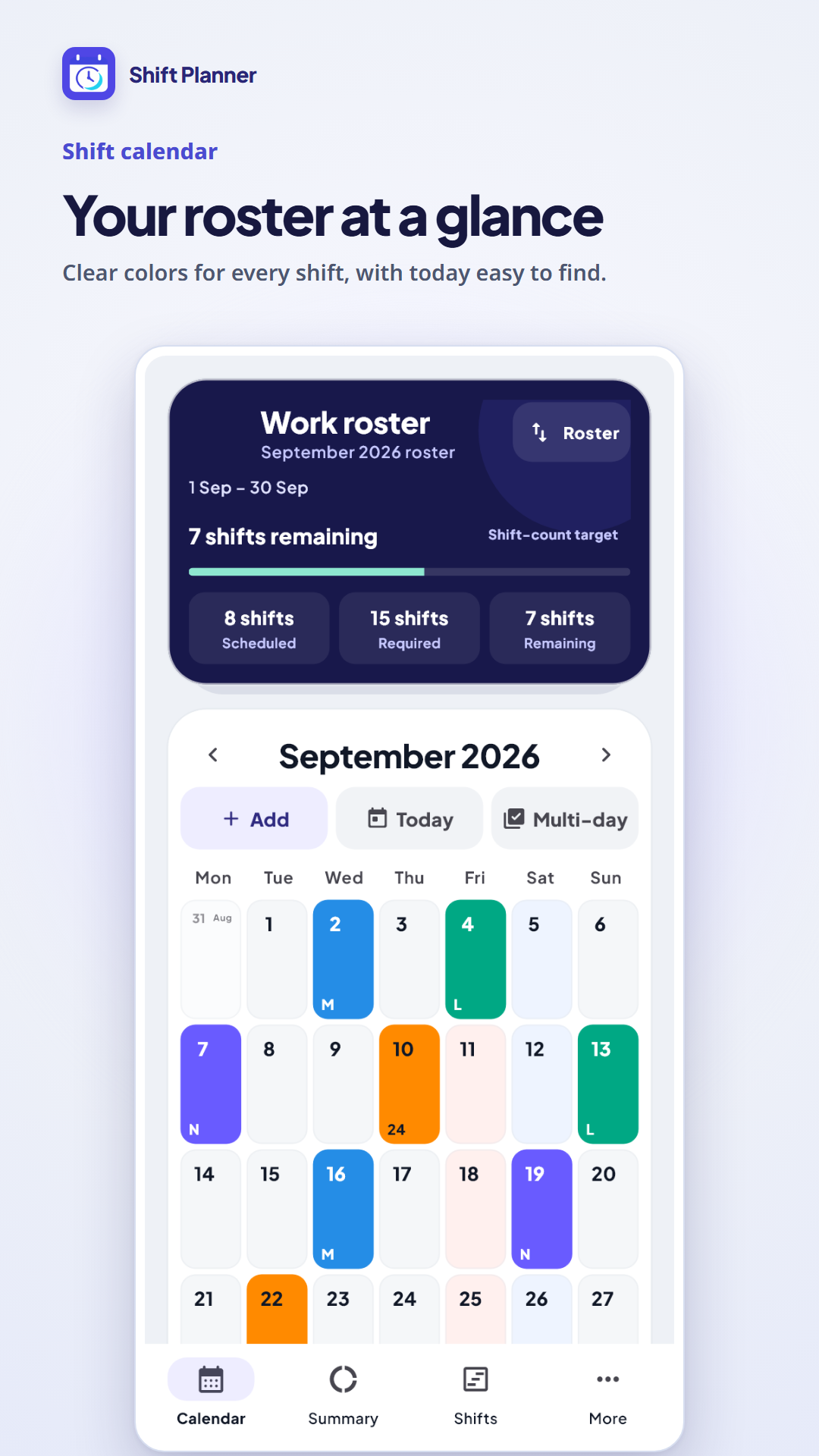
Calendar in the Shift Planner Android app
A roster for each workplaceTrack shifts or work hoursShare and back up your schedule
Plan, track and share

A calendar that fits your work.

A cycle starting on the 16th? Hour-based hospital schedules? Night or 24-hour shifts? Set up your period and shift types around your workplace.

Calendar in the Shift Planner Android app

A calendar for every workplace.

Keep hospital and clinic schedules separate, with a clear view of each roster.

  • Create multiple rosters with independent settings.
  • Start your cycle on the 1st, 16th, 21st or another day.
  • Set shift times, durations, colors and notes.
Open the web calendar →
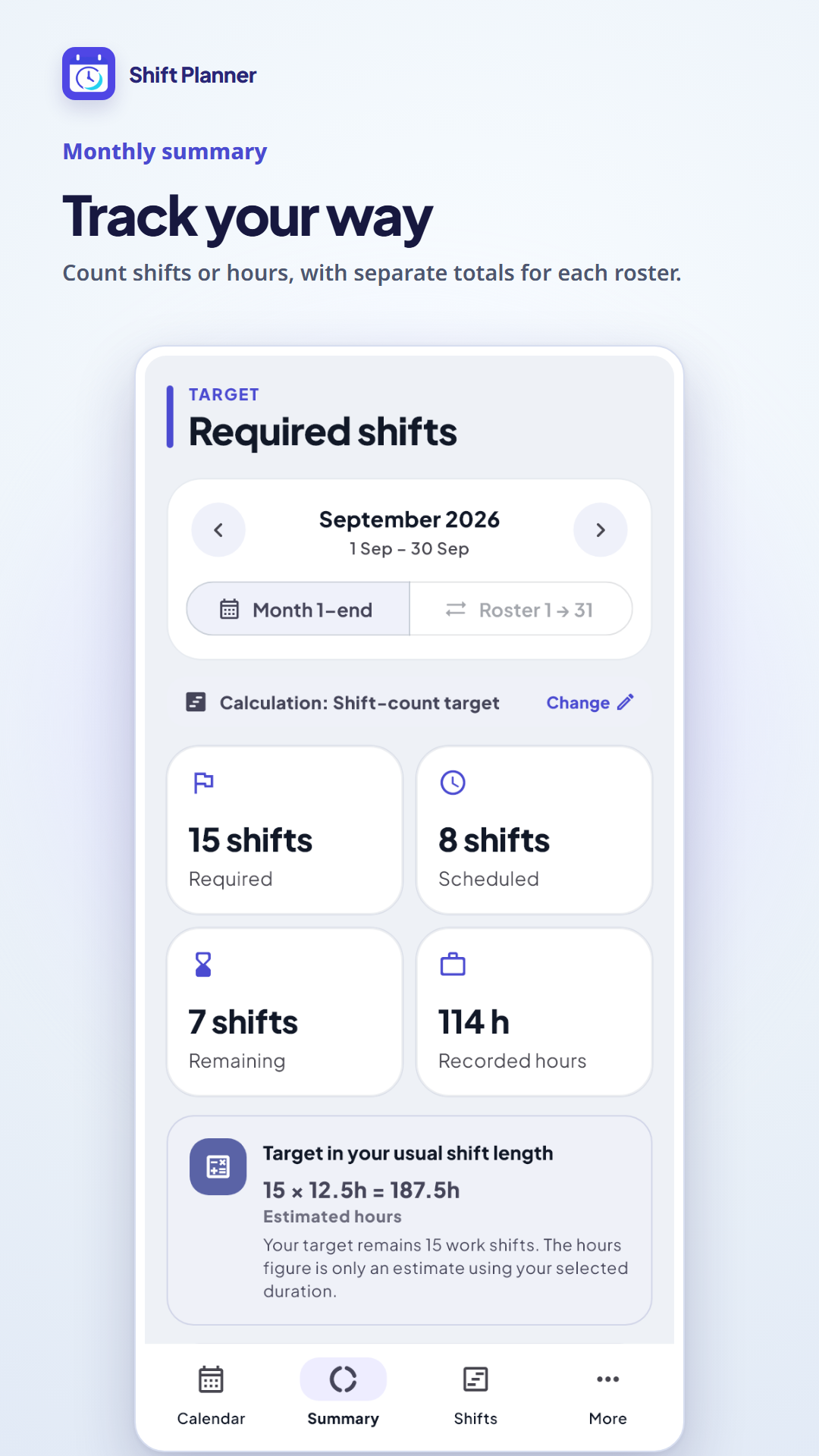
Work calculations in the Android app

Track the target that matters.

Choose hours or shift counts to match your workplace policy.

  • View recorded work and the remaining balance for the same roster period.
  • Set a shift-count target per workplace; leave and Off do not count as working shifts.
  • The web retains its existing hour calculations, including configurable Hospital 57 roster periods.
Open the web calendar →
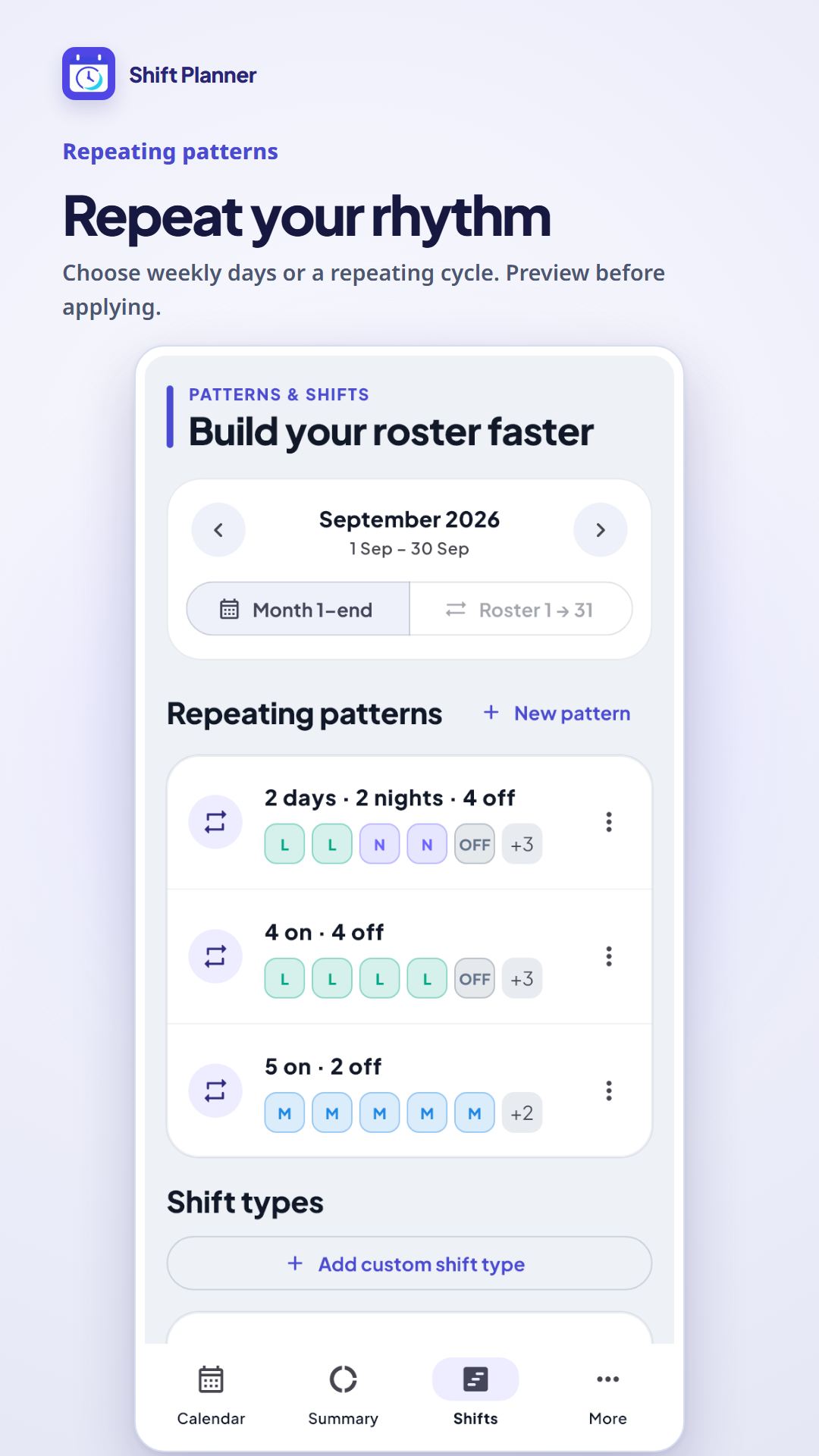
Repeating roster patterns in the Android app

Build a roster around your rhythm.

Use a weekly pattern or a repeating shift cycle for recurring schedules.

  • Assign a shift to each weekday, or enter a cycle such as M, N, OFF.
  • Preview dates before applying the pattern.
  • Occupied days are skipped, so existing entries stay in place.
Open the web calendar →
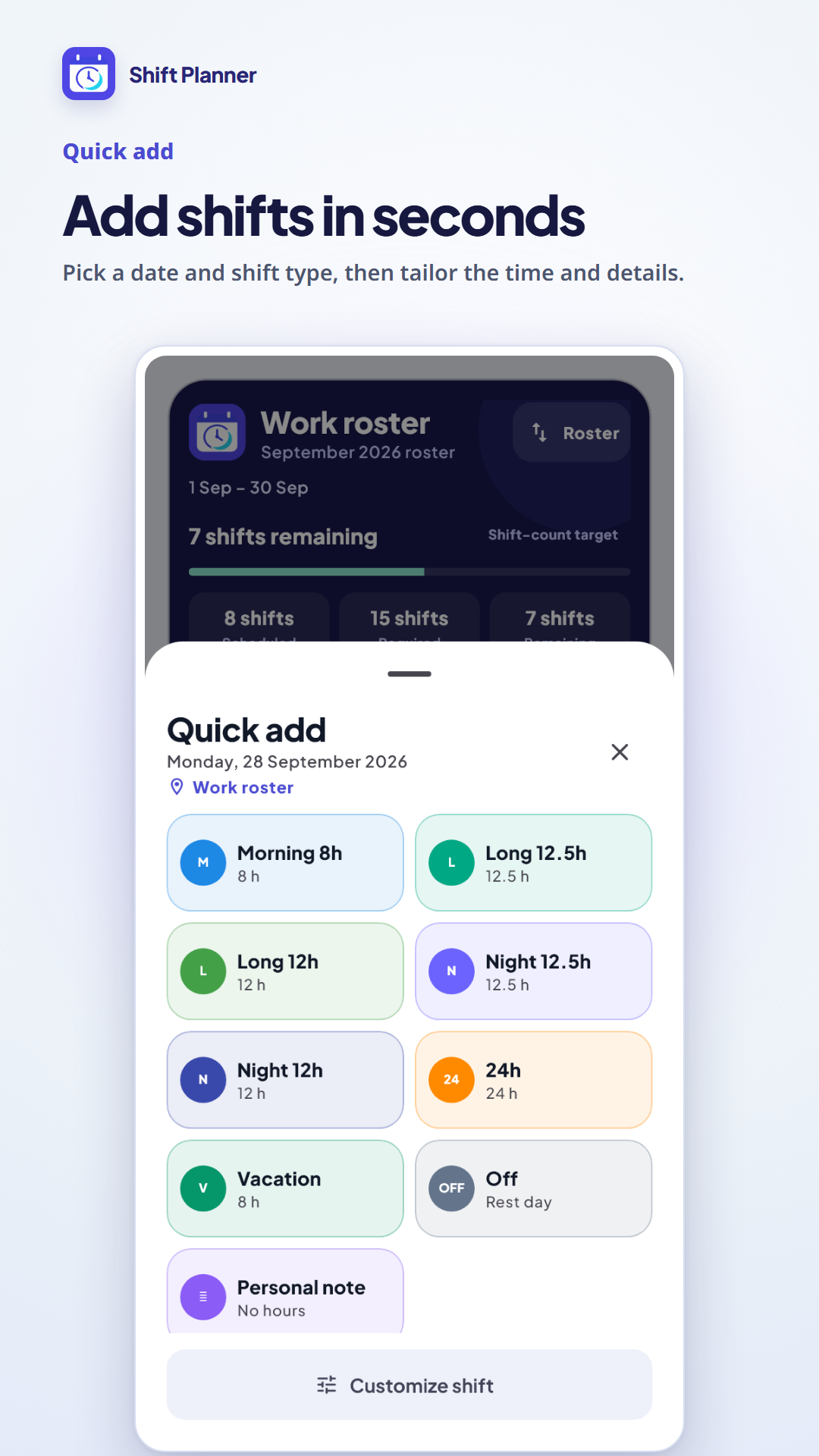
Adding a shift in the Android app

Add quickly. Keep the details.

Ready-made work and leave types, with custom types for your schedule.

  • 12, 12.5 and 24-hour shifts, plus your own types.
  • Calendar notes and editing for existing shifts.
  • Share an image, save a PDF, and keep a local backup.
Open the web calendar →

Three steps to your first roster.

  1. 01

    Set up a workplace

    Name your roster, choose its cycle and calculation method.

  2. 02

    Build your schedule

    Add shifts individually or preview a repeating pattern.

  3. 03

    Track and share

    Check shifts or hours and the balance, share the roster, and save a backup.

A visual tour — 16 seconds

See the app in action.

A silent tour of the calendar, calculations, patterns and quick entry, using actual screenshots with sample data.

Open video →

Android and web, wherever you work.

On Android

Download Shift Planner from Google Play. The phone app includes roster tools and a home-screen widget for quick access to your schedule.

Get it on Google Play →

In your browser

Use the calendar at the same web address in Arabic or English. Store rosters locally and install the web app on your home screen when your browser supports it.

Open the web calendar →

Android and web data are separate. There is no automatic synchronization, and backup-file compatibility between the two versions is not promised.

FAQ

A few details before you start.

Do I need an account?

No. Core calendar use and local roster storage do not require creating an account.

Is this an official Hospital 57 app?

No. Shift Planner is independent. You can configure hour calculations for schedules like those used at Hospital 57, but check your employer’s actual work-hour and leave policies.

How do shift counts differ from hours?

Hours use entry durations and period settings. Shift-count mode counts working entries only. Choose the appropriate mode in your roster settings.

Will a repeating pattern replace my shifts?

No. Preview shows what will be added. Occupied days are skipped without replacing existing entries.

Does it work offline?

Data is stored locally. The web supports offline use once its files have been loaded and cached by the browser. The initial download requires an internet connection.

How do I keep my data safe?

Download a local backup from More and keep it in a safe place. Clearing browser data or uninstalling the app can remove locally stored rosters.

Is German available?

Arabic and English are available now. German is requested for a future update and is not part of the current release.

Does the web include the Android widget?

The home-screen widget belongs to the Android app. The web can be added as a shortcut or installed as a web app depending on browser support.

Calculations are estimates based on your entries, settings and workplace policy. Screenshots show the Android app with sample data; the web interface may differ.

Start with a clearer roster.

Get the app, or open the web calendar and add your first workplace.

Get it on Google PlayOpen the web calendar